For Notion · iPad · Apple Pencil

Write by hand.
Land in Notion.

Penlog turns each handwritten page into rows in the Notion databases you already use — tasks, dates, priorities, your ink.

One page
One row
Each task
Its own row
Edit in Notion
Mirrors back
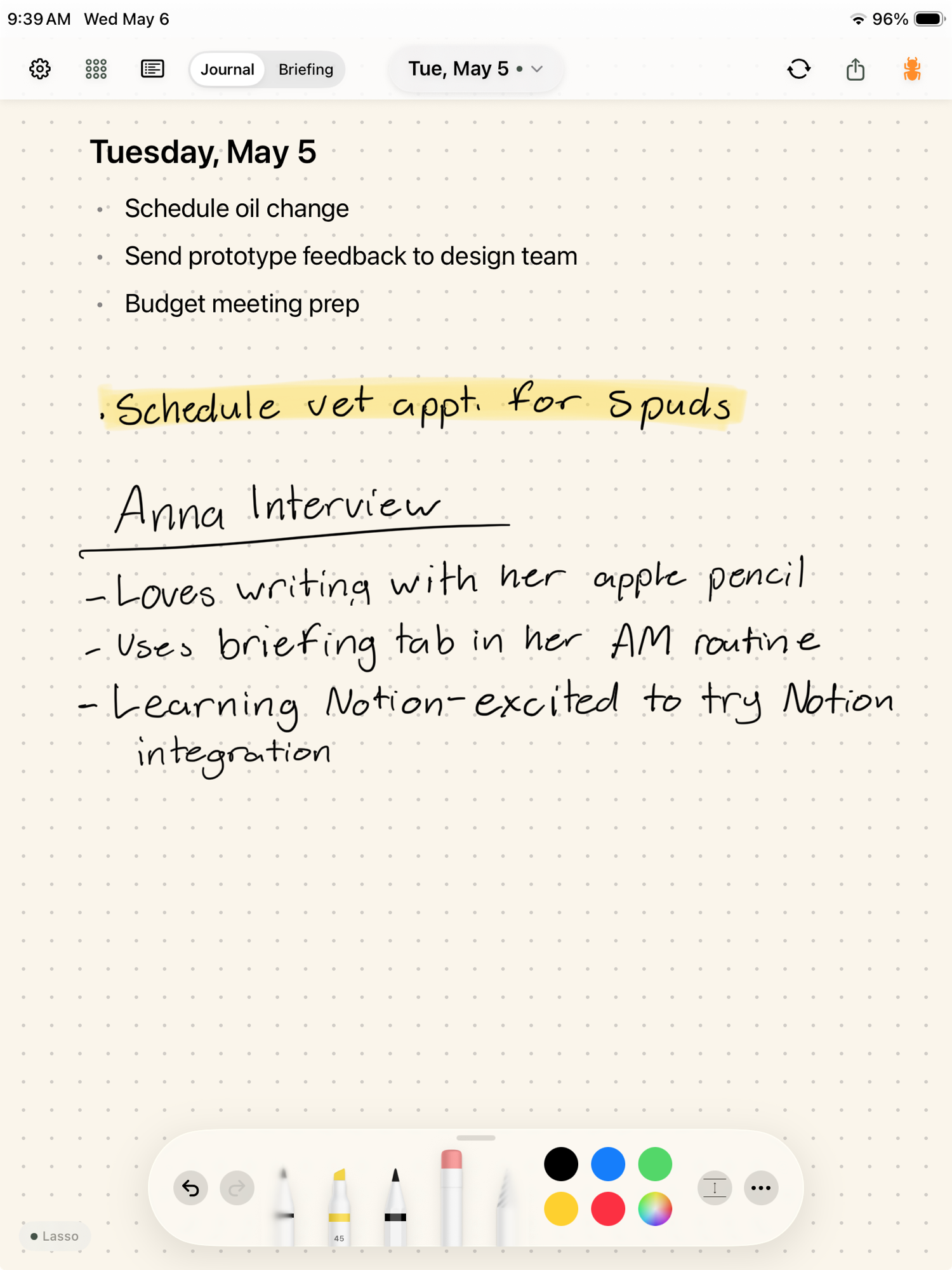
Penlog journal page on iPad: handwritten tasks, a highlighted priority, and notes from an interview

Tuesday, May 5

Watch

From handwriting to Notion, in two minutes.

The handoff

One page in. Two rows out.

Penlog journal page on iPad
01 Penlog · May 5
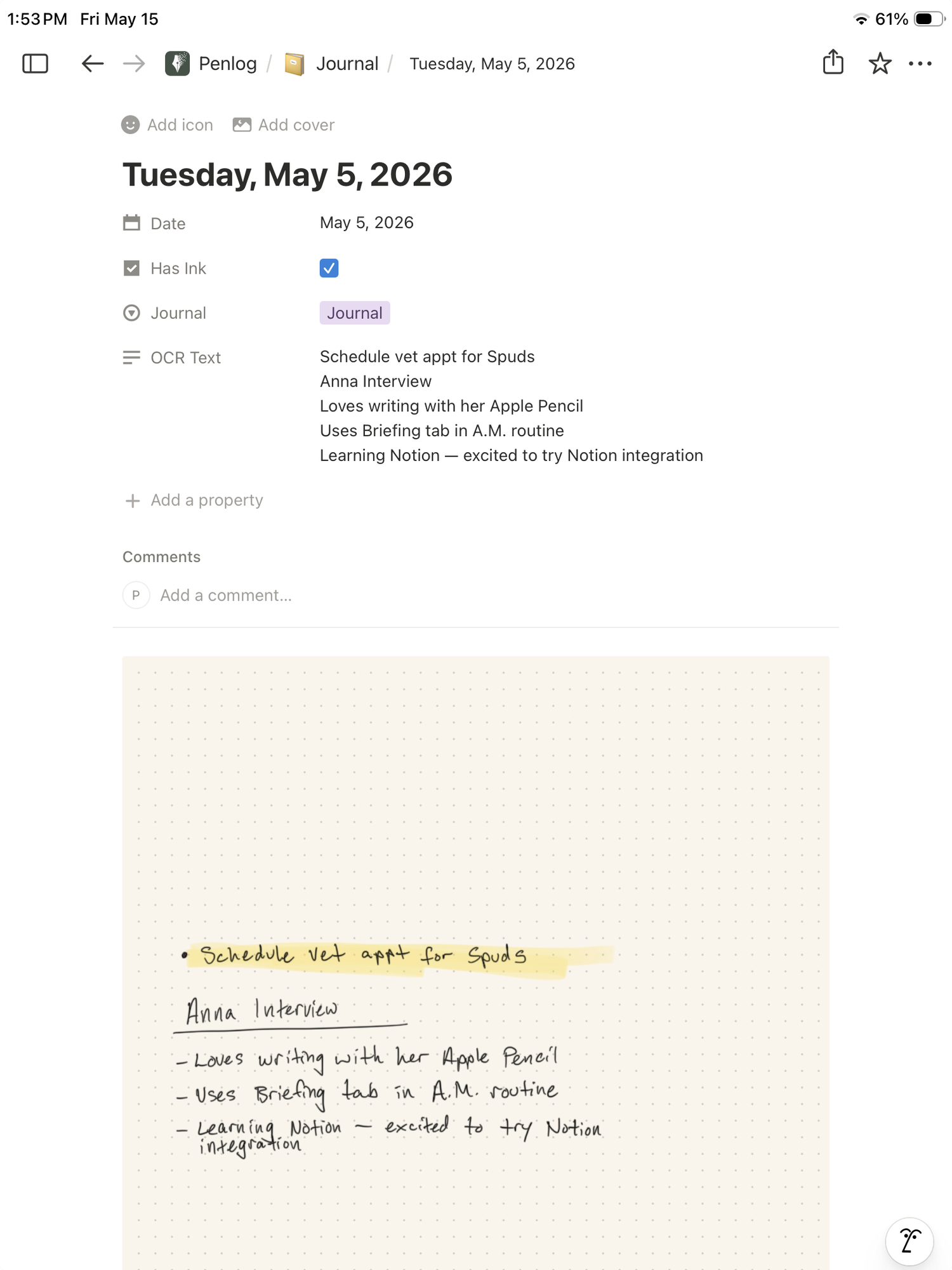
Notion journal entry for Tuesday, May 5, 2026 — date, has-ink flag, content, and the original page preview
02 Notion · Journal
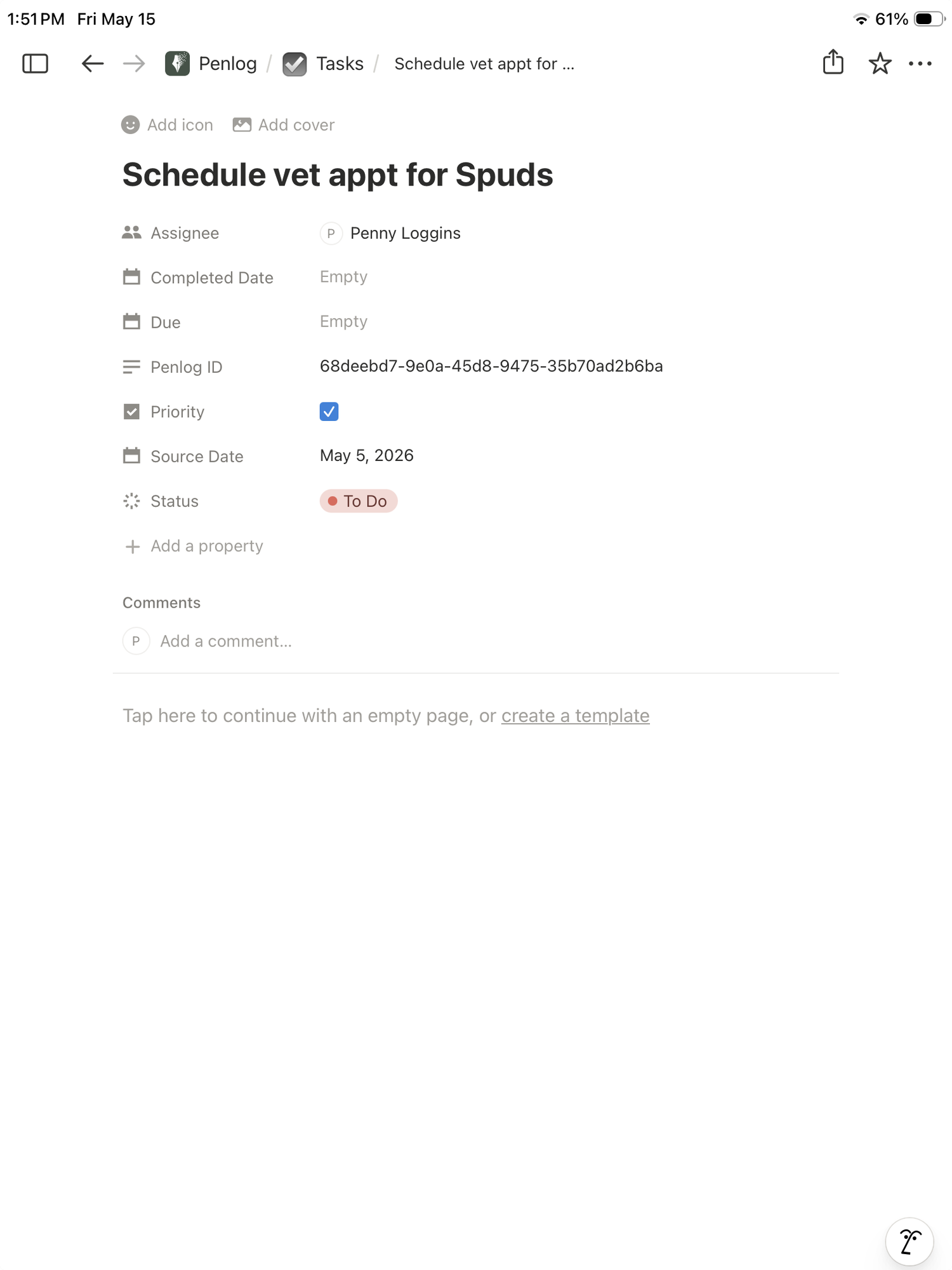
Notion task row for 'Schedule vet appt for Spuds' — assignee, due date, Penlog ID, priority, status
03 Notion · Tasks

What happens

Connect once. Write forever.

01

Connect Notion

OAuth into your workspace. Penlog adds a Journal database and a Tasks database under a single parent page. Thirty seconds, no template fights.

02

Write your day

Pick up your Apple Pencil. Tasks, events, meeting notes, half-thoughts. Penlog picks them out as you write — no tagging, no cleanup.

03

Find it in Notion

Your daily page lands as a row, filled in. Each task gets its own row — priority, status, source date. Filter and roll up like any other database.

Why Penlog

Not just a screenshot in your database.

Penlog reads what you wrote — knows a task from a note from a meeting — and writes structured rows you can filter, sort, and roll up. Your page is a record, not a thumbnail.

  • Two-way task status. Check a task off in Notion and Penlog marks it done on the page. Cross it off on the page and Notion updates.
  • Write however you write. Penlog reads your notation legend — circles, dots, dashes, marker highlights. No grid to obey.
  • Your ink, still yours. The original drawing stays on your iPad and in iCloud. Notion gets a clean image and the structured fields — never anything you didn't write down.

Available now

Because the writing is the thinking.

Write by hand. Work with everything. Penlog is on the App Store — install it and start writing.

Free to download. Requires iPad with iPadOS 18+.

Made in Indianapolis.